Why Isn’t My Business Showing Up on Google? 8 Reasons and Fixes

Table of Contents
A business not showing up on Google is one of the biggest problems digital marketing companies can face. Even if they have an online presence and a good website, they can still have Google visibility problems. Some issues are easy to check and fix, while others may need help from a marketer or developer.
If you’re a company owner who keeps asking yourself, “why isn't my business showing up on Google?”, the first step is to find out what is causing the problem. Here are eight common reasons and what you can do about them.
First, Check Whether Your Website Is Indexed
Web indexing is the process by which search engines like Google find, analyze, and save information from web pages so it can appear in search results. When you publish or update a page, Google needs to find and check it first before adding it to its index. This is why a new website or page may not appear on Google right away. If you are looking for a quick way to check if your business is visible, type “site.yourwebsite.com” on Google.
Once you press “Enter”, you will see the pages from your domain that Google has indexed. Bear in mind, however, that site: search should not be treated as a final check. For a more reliable check, use the URL Inspection tool in Google Search Console.
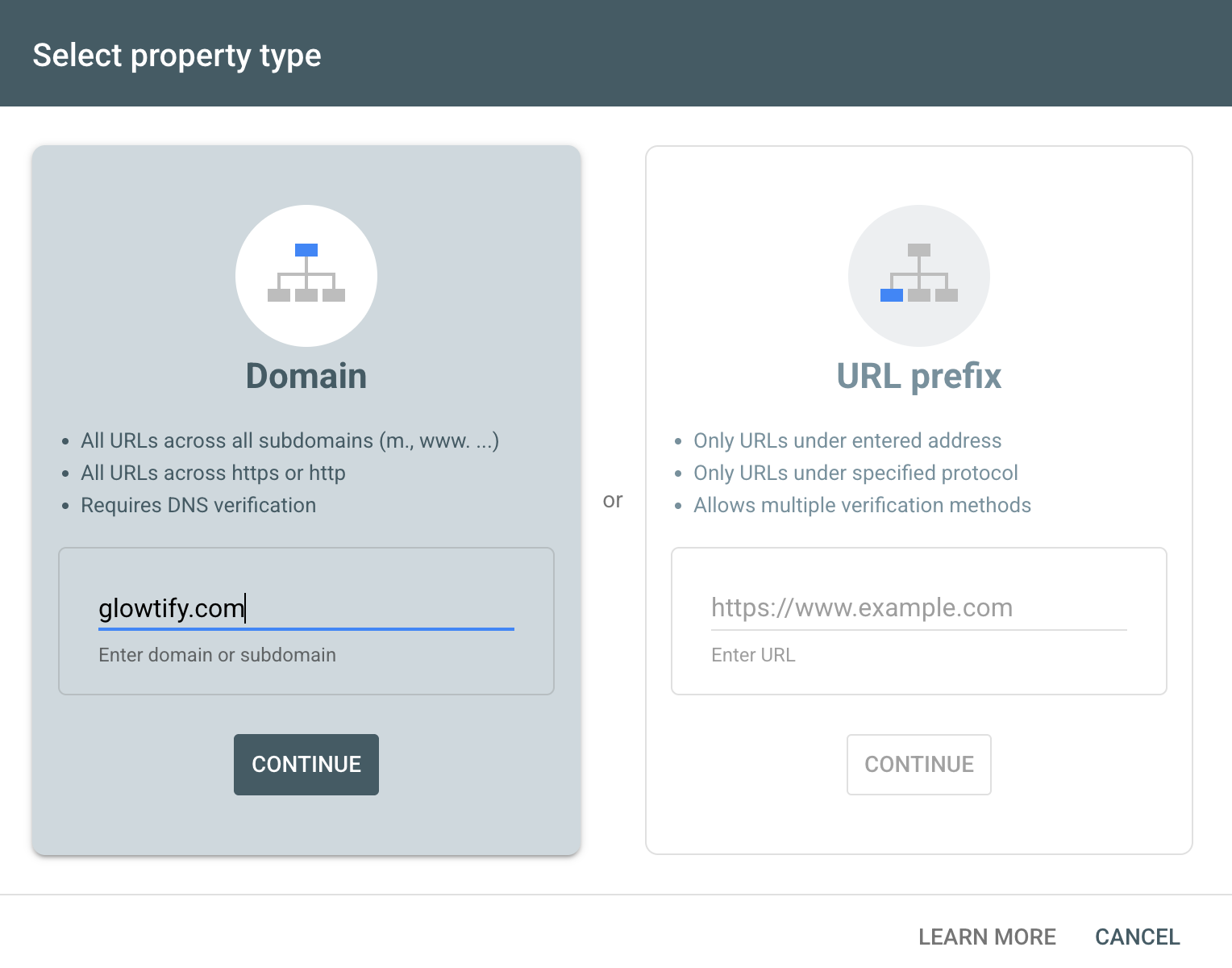
To use Search Console, enter your homepage URL. It will show whether Google can access and index your page.
The Eight Reasons
#1 Google Doesn’t Know You’re a Business
If your business is not showing up on Google Search, you may not have created or verified your Google Business Profile. What you should do is go to Google Business Profile and sign in to your account. Click “Manage now” to create or claim your profile. Then, verify your business.
Next, check whether you have already claimed your profile. Search for your business on Google, and if you see “Own this business?” you may still need to claim or verify it. Once verified, you can add your business name, hours, phone number, website, photos, description, and other information. You can also respond to reviews and answer customer questions.
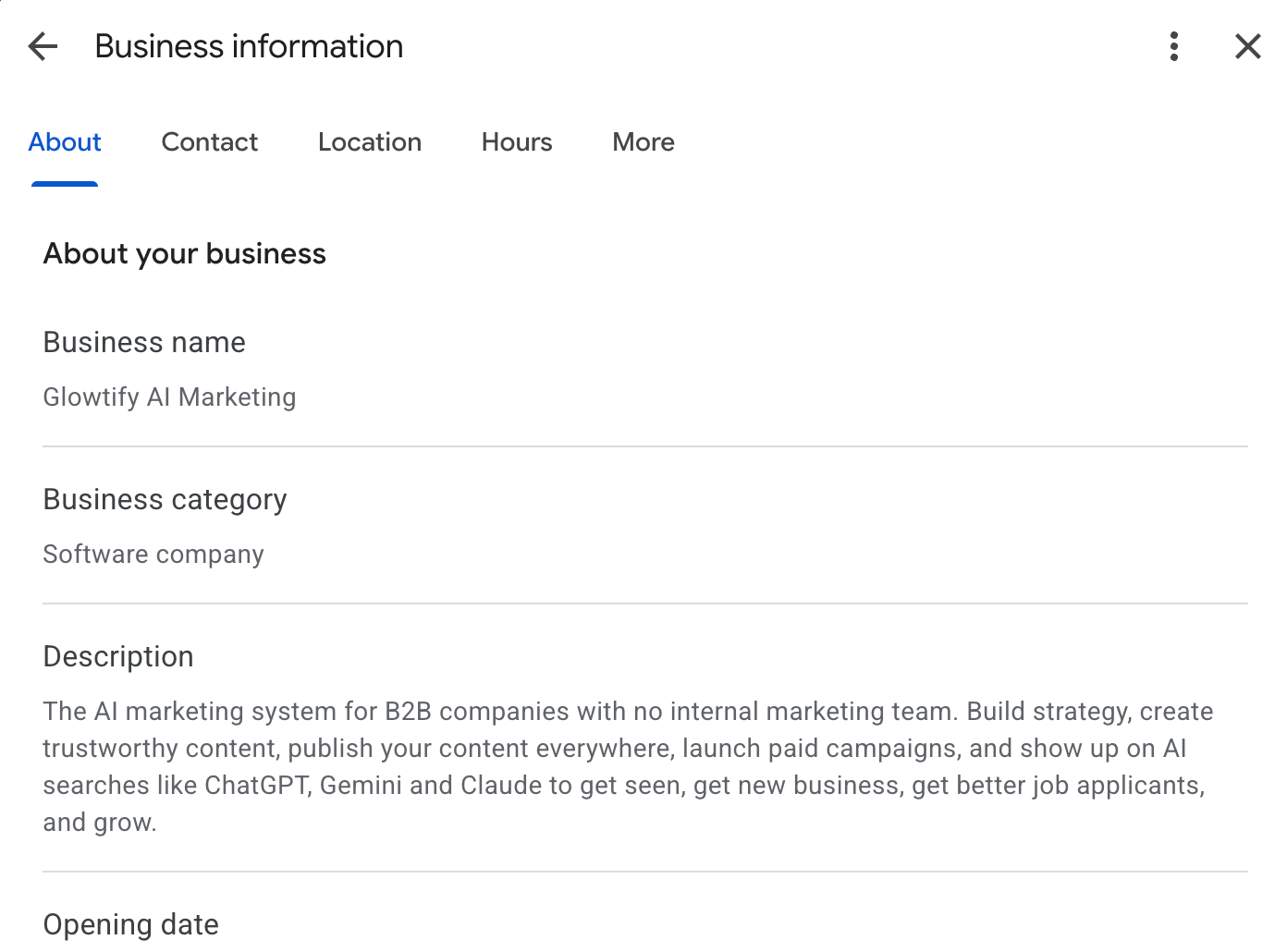
How to tell: Search for your business name on Google and location on Google Maps. If you cannot find your business, check whether it has been claimed and verified.
What to fix: Create or claim your profile and complete the verification process. Make sure your business information is accurate and updated.
Who handles it: A business owner, marketer, or office administrator usually handles this.
#2 Your Website Is Not Optimized for Search
Your website helps Google understand what your business does, what you offer, and where you operate. Make sure it clearly states these in your pages. If your pages do not explain these things, Google may have a hard time matching them to relevant searches.
If you need help finding the right search terms, Glowtify can help with SEO content based on the terms your buyers search for. It can also help create articles around those terms and connect them to relevant product and service pages.
How to tell: Search for your main products and services. Then, check whether your website clearly explains what you offer and whether your pages use terms your customers are likely to search for.
What to fix: Connect your website to Google Search Console and review the information on your pages. If you recently changed your website, use the URL Inspection tool to check the pages and request a re-crawl when needed.
Who handles it: A marketer, content writer, or SEO specialist handles most of this. A developer may be needed for technical changes.
#3 Your Website Does Not Have Enough Useful Content
Some websites have only a homepage, contact page, and a few basic company details. This may not give customers enough information about what you offer, giving Google less information to understand your business.
How to tell: Look at your website as if you were a new customer. Does it have a page that tells about your product or service? Does it answer common client questions? Does it explain who you serve?
What to fix: Start with the pages closest to a buying decision. Create clear product and service pages, then add useful content that answers common customer questions.
Who handles it: A marketer, content writer, or subject-matter expert usually handles this.
#4 Your Google Business Profile Is Missing or Incomplete
Proving your business is real is critical in Google local search, which is why your name, address, and phone number (NAP) should be accurate and consistent across your Google Business Profile, website, directories, and other online listings.
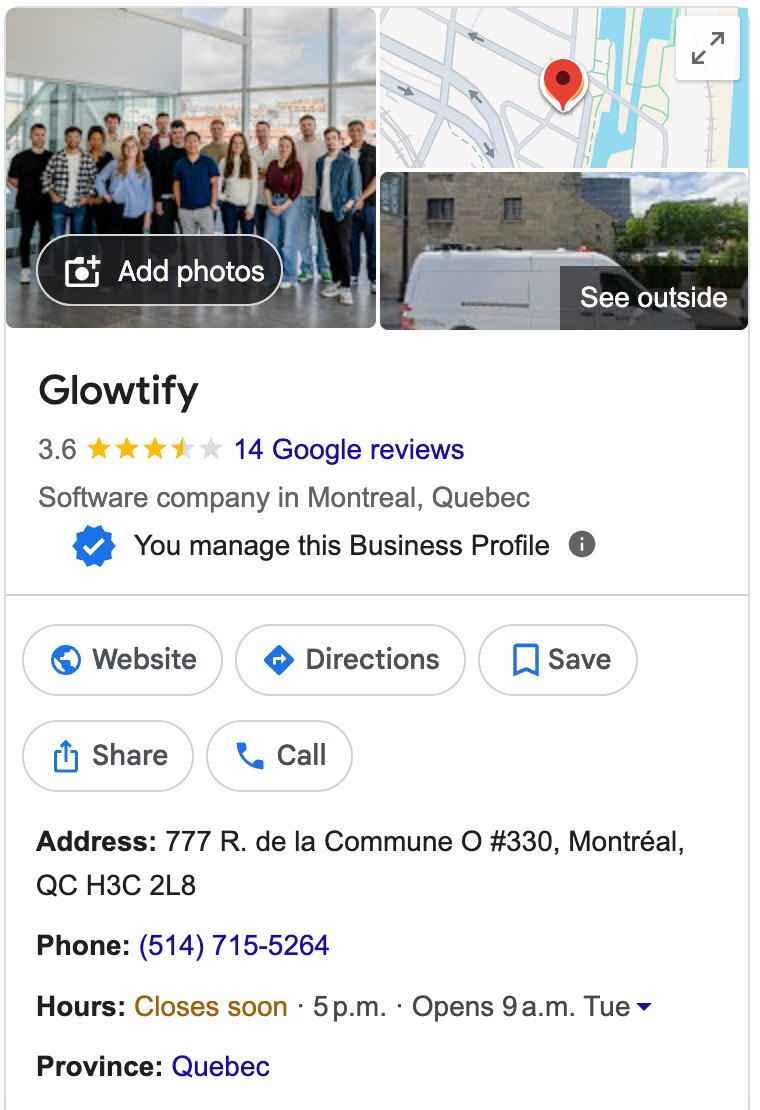
How to tell: Search for your business name, location, and contact details on Google and Google Maps. Check your profile and other online listings for outdated or inconsistent information.
What to fix: Review your business name, address, phone number, website, and hours across different channels. Correct any inconsistencies you find.
Who handles it: A business owner, marketer, or office administrator usually handles this.
#5 Your Competitors Are Ranking Higher
Sometimes there is nothing technically wrong with your website. Your competitors may be ranking higher because they have stronger pages.
How to tell: Search for your main products and services. Look at the businesses appearing on the first page and compare their pages with yours.
What to fix: Look for gaps instead of copying your competitors. If their pages answer common customer questions and yours do not, improve your page.
Who handles it: A marketer or SEO specialist handles most of this work.
#6 Something Is Blocking Google From Your Website
It is important to check for technical problems that can prevent Google from accessing or indexing your pages. For instance, a noindex instruction tells Google not to show a page in search results.
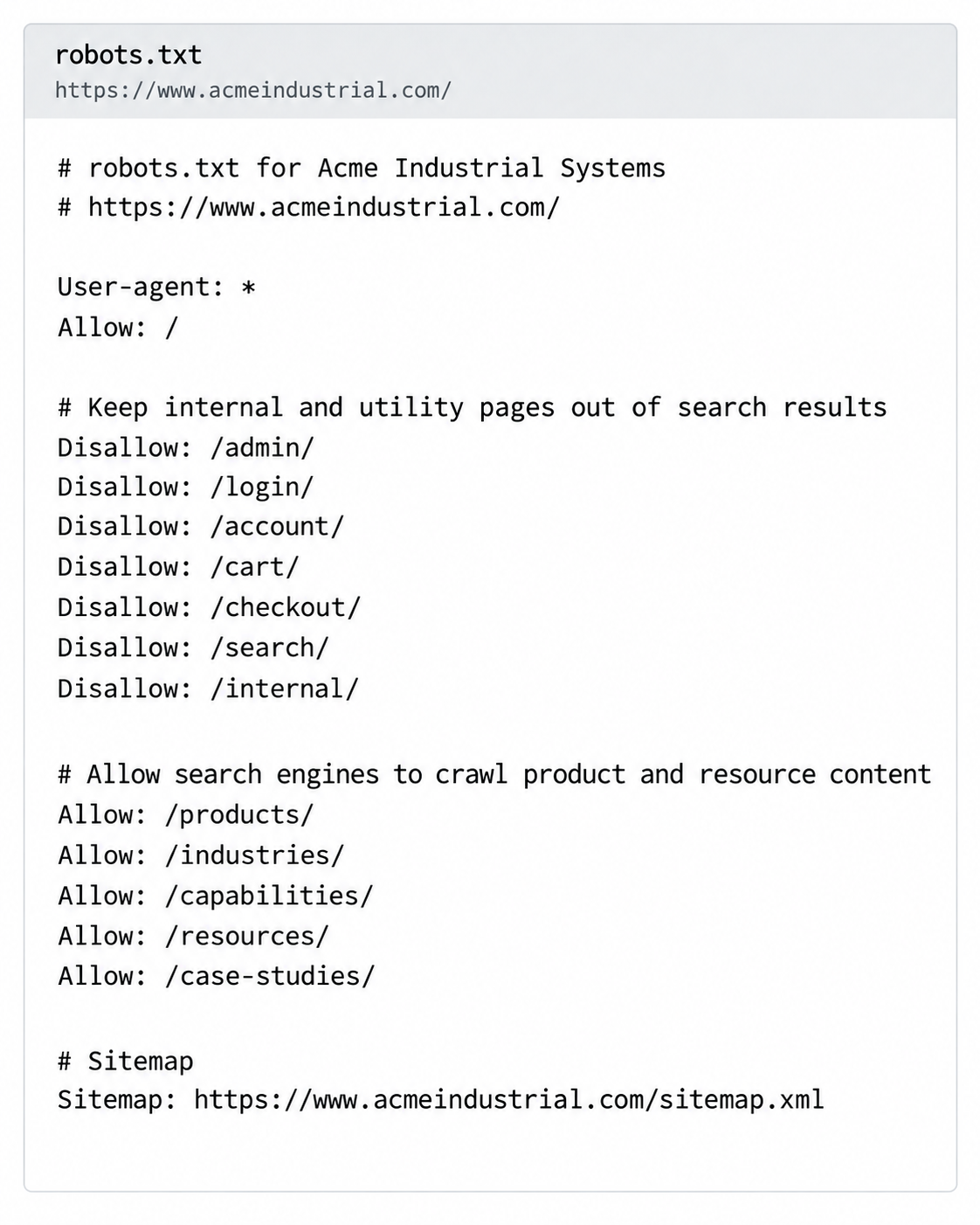
Meanwhile, a robots.txt file controls which URLs search engine crawlers can request. Other problems can include server errors, incorrect redirects, or issues caused by moving your website to a new domain.
How to tell: Use the URL Inspection tool in Google Search Console to check whether Google can access and index your important pages. If you have access to your website settings, check for noindex instructions and review your robots.txt file.
What to fix: Remove an incorrect noindex instruction if the page appears in search. If robots.txt is blocking important pages, have the rules reviewed. Technical errors should also be fixed.
Who handles it: A developer or technical SEO specialist is usually best for this work. Here’s what a robots.txt file looks like:
#7 Your Domain Is Brand New
If you recently launched your website or changed domains, Google may simply need more time to discover and index your pages. New websites have less content and fewer links than established websites, which is why ranking for searches can take time even after your pages are indexed.
How to tell: Check your website in Google Search Console. If your important pages are indexed but you still do not appear in searches, the issue may be ranking rather than indexing.
What to fix: Make sure your important pages clearly explain what you offer. Keep adding useful information and build relevant links from legitimate and relevant sources.
Who handles it: A marketer or SEO specialist can handle the ongoing work.
#8 You’re Using the Wrong Keywords
Keywords are the words and phrases people use when searching on Google. If your website and Google Business Profile do not use terms that match what your customers search for, Google may have a hard time connecting your business with those searches.
Using too many keywords can also hurt your content. Repeating the same term too often, known as keyword stuffing, can make your content difficult to read.
How to tell: Search for the words and phrases you think customers use to find businesses like yours. Compare those searches with the content on your website and Google Business Profile.
What to fix: Use tools like Google Trends or Keyword Planner to research search terms your customers often use when looking for your products or services. Use relevant keywords naturally in your copy. Keep the content useful and easy to read.
Who handles it: A marketer, content writer, or SEO specialist usually handles keyword research and content updates.
What You Can Fix in a Day and What Takes Months
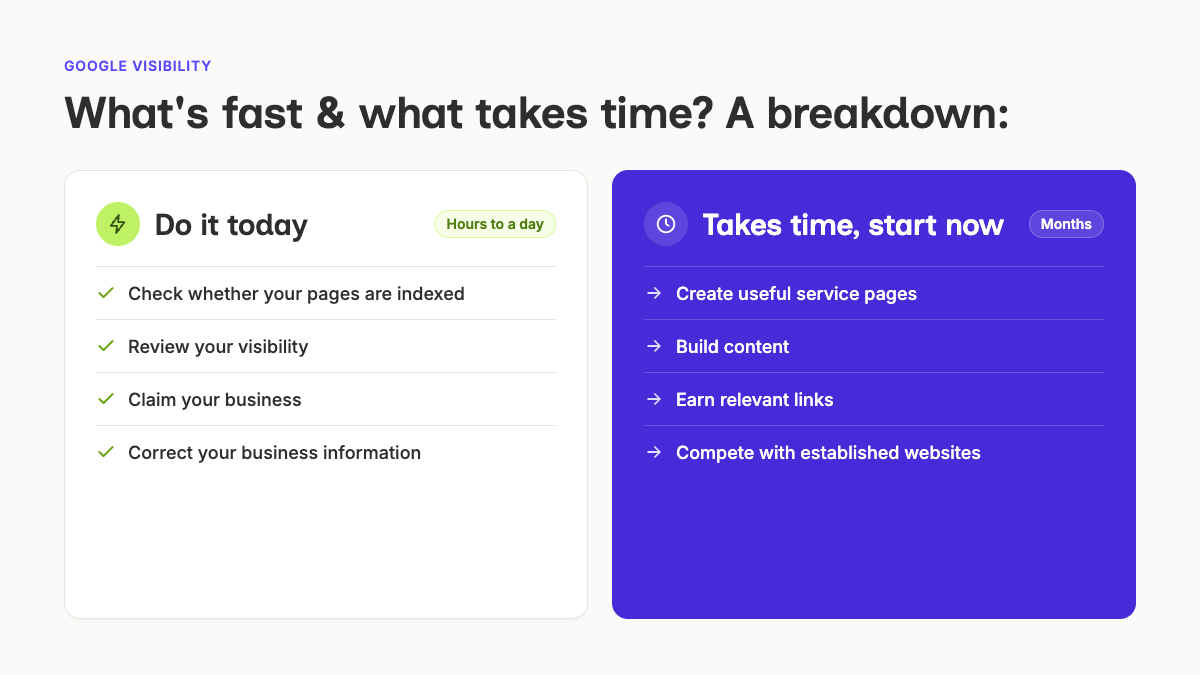
Some Google visibility problems are quick to fix. These include checking whether your pages are indexed, reviewing your visibility, claiming your business, and correcting your information. Other issues take longer. These include creating useful service pages, building content, earning relevant links, and competing with established websites.
The key here is to determine the problem before deciding what to fix. If Google cannot access your pages, creating more content will not solve the issue. If your pages are indexed but do not match what customers are searching for, you may need to improve your content and keywords.
When to Find a Supplier
You can handle many basic Google visibility issues yourself, such as improving content, researching keywords, updating your Google Business Profile, and checking Google Search Console. If you have tried these steps and still find yourself asking, “why isn't my business showing up on Google?”, it may be time to seek out a partner or platform that can make it happen for you.
If you also want to know whether your company appears in AI answers, Glowtify can check your AI visibility across AI search tools. It can show whether your company is mentioned, how it is described, and which questions your competitors appear in.